





This analysis compares algorithmic strategies, not individual tools. Three distinct restoration approaches exist. The first applies a deep, multi-stage pipeline. The second uses a shallow, single-pass enhancement. The third operates a generalized automatic repair.
Understanding these different processing models is key to selecting the right one. Your choice should align the tool’s inherent strategy with the specific degradation in your photograph. This is a technical comparison of restoration depth and methodology.
1. Renew Photo
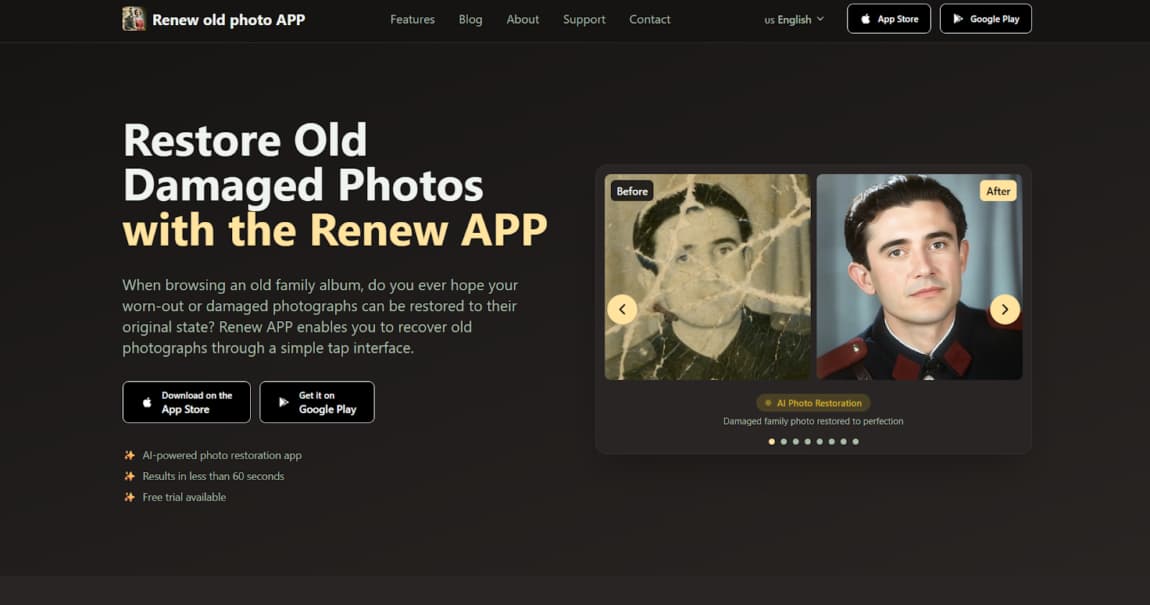
Renew Photo functions as a deep multi-stage restoration system. It does not apply a single filter. Instead, it processes an image through a sequential pipeline where each stage handles a different type of damage. This approach allows for coordinated corrections, where the output of one stage informs the next. The system is built for intricate intervention, reconstructing images layer by layer rather than applying a blanket adjustment.
Restoration Strategy
Its strategy is based on sequential corrections. The tool separates tasks into distinct phases, such as scratch removal, tonal recovery, and detail reconstruction. It attempts to harmonize color, texture, and structural data across these stages. This is a computationally deeper method that aims to model and reverse the compounding effects of age and damage in a specific order.
Where This Approach Works Best
This pipeline is for photographs where defects are interdependent. The strategy works when damage in one area, like a deep scratch, impacts the accurate color correction of the region beneath it. This restoration strategy is most appropriate in cases such as:
- Photos with multiple overlapping defects;
- Images with combined fading and surface damage;
- Portraits requiring structural detail reconstruction;
- Black-and-white photos needing full colorization.
The depth of processing can alter fine original textures, sometimes producing a uniformly smooth effect.
2. RetroFix

RetroFix is engineered as a fast mobile enhancement system. It prioritizes speed and accessibility over deep analysis. The tool applies a broad set of corrections in one pass. This model offers immediate improvement with minimal computational load, making it suitable for smartphone use. It represents a different algorithmic class entirely, focused on perceptual uplift rather than technical reconstruction.
Processing Model
The model uses single-pass enhancement. There is no multi-stage analysis or complex coordination between repair modules. It applies a unified set of operations for sharpness, contrast, and basic cleanup simultaneously. Local reconstruction is limited, operating on broad patterns rather than meticulously repairing specific, intricate damage.
Where This Model Is Sufficient
This model is adequate for isolated, superficial issues. It works when the photograph’s foundational structure is largely intact and only surface-level corrections are needed. This lightweight processing model is sufficient for cases such as:
- Slight blur reduction;
- Cleaning minor surface marks;
- Enhancing faded contrast;
- Quick correction on mobile devices.
It does not deconstruct or repair deep physical defects. The algorithm simply doesn’t go that deep into the data.
3. Restore Old Photos

Restore Old Photos is a browser-based automated restoration engine. It occupies a middle ground between a deep pipeline and a light mobile filter. The tool applies several automated correction modules, but without the intricate, staged coordination of a full pipeline. It functions as a generalized AI repair system, handling a wider range of defects than a mobile enhancer but with less procedural depth than a dedicated restoration suite.
Hybrid Restoration Logic
The logic employs automatic modules for different defect types. It might have dedicated routines for scratches, tears, and color fading. These modules run in a less coordinated fashion than a true multi-stage pipeline. The system works as a consolidated repair job, applying a suite of fixes based on a generalized assessment of the image.
Where This Balance Works Well
This balance is effective for photographs with clear, discrete problems of moderate severity. It handles cases where damage is noticeable but not catastrophically interdependent. This balanced restoration model is effective for cases such as:
- Photos with visible cracks and scratches;
- Images with moderate fading;
- Old prints needing overall clarity improvement;
- Automatic colorization of monochrome photos.
Results can be less precise in complex zones where multiple damage types intersect, as the module coordination is not as sophisticated.
How These Three Restoration Approaches Differ
The core difference lies in the depth and coordination of algorithmic intervention. Each tool represents a different point on a spectrum of processing complexity. A deep pipeline is resource-intensive and systematic. A single-pass enhancer is fast and broad.
A hybrid system tries to bridge the gap with automated but less integrated fixes. Selecting the wrong point on this spectrum guarantees suboptimal results. The three tools differ primarily in how deeply they intervene in the image data:
- Renew Photo applies a coordinated multi-stage restoration pipeline;
- RetroFix uses a fast single-pass enhancement model;
- Restore Old Photos Online operates as a generalized automated repair system.
Deep restoration actively reconstructs missing data by inferring patterns from surrounding areas. Surface enhancement merely adjusts existing pixels for better contrast and clarity. Excessive processing from a deep pipeline on a simple image can destroy authentic film grain and create an artificial look.
Insufficient processing from a light tool on a complex image leaves major defects untouched, offering only a cosmetic improvement. The mismatch is the main reason for failed restoration attempts.
Final Technical Comparison
Renew Photo represents depth through sequential processing for compounded damage. RetroFix prioritizes speed with single-pass corrections for superficial issues. Restore Old Photos Online sits in the middle, offering automated repair for moderate defects. Their purposes are not interchangeable.
The main failure case is mismatching processing depth to damage complexity. RetroFix cannot address structural loss such as tears. Renew Photo can be excessive for lightly degraded scans and may alter fine texture. Scan quality sets the upper limit for any output, but the chosen processing approach determines how well the tool performs within that limit.
Start by identifying the dominant damage and its severity. Then choose the tool whose processing strategy matches that level of complexity.




More Stories
BairesDev alternatives for product companies
Smarter Learning Through Micro Lessons: 9 Apps Compared
Finelo Billing Update 2026: Improved Transparency